
— Design logic for AI. Rules, not templates.
- Teaching AI to design within a design system.
- Decision trees, slot rules and component metadata.
- Every reviewer's comment becomes a rule.
- Client
- Global consumer tech company (under NDA)
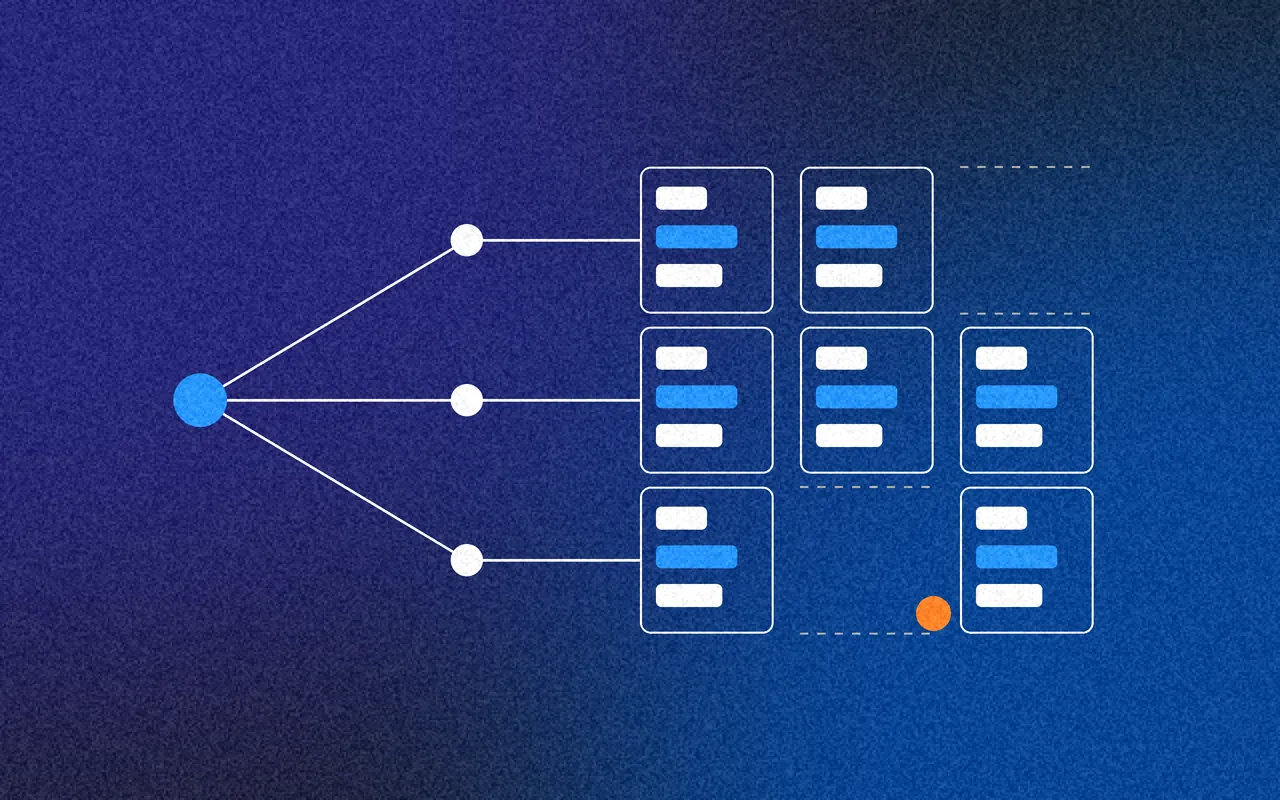
The short version
A 30-second read
The problem
AI was to produce on-brand designs from a design system, but the system was written for people, not models.

What I did
I designed the logic layer: a traceable path from brief to design, slot rules, component specs an AI can read, and a tool that turns feedback into rules.

What changed
Layouts governed by rules with reasons, not fixed templates, and 22 landing page templates approved.
- 14component specs for AI
- 6landing page slots
- 22templates approved
01/ Summary
- — Services
- Design systems architecture
- Rules and decision tree design
- Metadata design
- Prototyping with AI
- Internal tool design and build
- Governance
- — Deliverables
- A brief-to-design decision trace
- A three-level rule hierarchy (P0, P1, P2)
- Specs for 14 core components, readable by AI
- Slot systems for landing pages and small messages
- Slots Studio: generate, review, critique, rule
- — Outcomes
- A logic layer the AI can follow: from brief to intent, template, slots, copy and rules
- Component specs written for AI: 14 core components, with where each can and can't go
- Rules, not templates: 6 landing page slots, and 22 templates approved
- Feedback that sticks: reviewers' comments become rules
02/ Understanding the problem
- 14core components, specified for AI
- 6slots in a landing page
- 138valid layouts in the first run
- 22templates approved
AI that designs
The goal was in-product messages, like small notifications and landing pages, created with AI. They had to be on-brand, compliant and consistent, across several brands.
A design system organised for people isn't enough for that. The AI needed a logic layer: rules for which components are valid where, metadata it could read, and a way to keep both up to date.
Why templates weren't enough
Fixed templates break as soon as a message needs something slightly different. Then the AI guesses, and guesses look plausible: a font that never loaded, an icon redrawn rather than fetched, a warning bar on a message with nothing to warn about.
I already knew the design system, and the people behind it, from an earlier review. This time the brief was to build, not just recommend.
An AI can only be as consistent as the rules it's given. So I wrote the rules down, and made it show its working.
03/ Making the AI show its working
- Read the brief, and pull out the signals. “Gently nudge people to subscribe”: intent, upsell. Tone, gentle. Platform, desktop. Format, a small in-product message.
- Decide the intent. Just one. Upsell, with no risk or severity signals. One message, one job.
- Choose a template, and say why. Upsell maps to two templates. The simpler one suits a gentle nudge, and the reasoning is written down.
- Fill the slots. Visual anchor, core message, reinforcement (skipped: nothing to reinforce) and action.
- Write within limits. Headline up to 2 lines. Body 2 to 3 lines. A call to action of 3 words or fewer.
- Check the rules, in order. Hard rules first (P0), then structure (P1), then meaning (P2). Fail one, and it goes back.
A decision trace
The signals found, the intent chosen, which template and why, how each slot was filled, and which rules it passed.
“Show guesses”
One switch highlights everything the AI approximated, like a placeholder logo or a guessed spacing value, each with how to fix it.
Real output
Working HTML and React from the same trace, so the decisions and the design never drift apart.
04/ Holding AI to the standard
Try, don't assume
In one round the AI lost the typeface and drew its own icons. It had declared the font but never loaded it, and assumed the icon couldn't be downloaded without trying. I sent it back: “you've lost the typeface and also not tried on the icons”.
Three strategies, scored
I had the same brief built three ways, each scored on 7 criteria: rule compliance, template fit, reading the brief, component choice, copy, how many assumptions it made, and the code. Switch between them below.
How it works
Includes only what the rules require. A minimal, conservative reading of the brief.
What it got right
Rule compliance and safety. Nothing appears that shouldn't.
Where it fell short
Can look sparse. It left out a bar the template showed.
How it works
Copies the template's structure as closely as possible.
What it got right
Looks complete, and matches what designers expect to see.
Where it fell short
Copied a warning bar onto a message with nothing to warn about.
How it works
Chooses each component by its documented purpose, and notes any doubt.
What it got right
Purposeful choices, with uncertainty written down, not hidden.
Where it fell short
Only as good as the component guidance it reads. Which is why I wrote better guidance.
05/ Components, written for AI
14 core components
Each spec covers anatomy, variants, states, tokens and usage, in plain Markdown that people can review and models can read.
Metadata that answers questions
Each spec starts with metadata the tool can act on: its category, its intent, which parents it's allowed in, its sizes, and how many can appear in one section.
06/ From templates to slots
I broke in-product landing pages into 6 slots. The canvas, background, app bar and padding never change. Inside them, each slot has valid options, and rules about what it can sit beside. Every rule says why, so people can challenge it. Build a layout below, and watch the rules judge it.
Valid layout
- Illustrations only with a showcase grid
- Comparison tables keep their own buttons
- Tiles and split upgrades use the footer
- No success green on a threat
- Yellow is for upsells
- No subtitle above a checklist
Simplified from the real landing page slot rules.
07/ Slots Studio
A tool to prove the idea
I designed and built Slots Studio with AI. It reads the slot spec and component specs, generates every valid layout, checks each against the rules, and scores them.
A keyboard-driven review queue (Y, N or M) makes it quick to get through hundreds. Every layout traces back to the exact prompt, specs and rules that produced it.
Feedback becomes rules
Saying no asks for a reason. Reasons become proposed rules, written in plain English, and the next run applies them.
For small messages, a reviewer's “no illustrations here” became a rule after one review, applied to every run after it.
Every rule narrows the field
Landing page layouts that passed the rules, run by run, as review comments, like not leaving a checklist on its own or doubling up buttons in the footer, became rules.
- Run 1138 valid
- Run 2123 valid, 15 ruled out
- Run 3123 valid, 15 ruled out
- Run 4108 valid, 30 ruled out
- Run 598 valid, 40 ruled out
Rules need reviewing too
In one session, six rules from feedback, including a ban on calls to action, together ruled out all 240 layouts. Rules interact. So rules get the same review as the designs they shape, with a history of every change.
08/ What changed
Layouts
The templates became examples of the system, not the system itself.
From14 fixed templates, copied and bent to fitTo6 slots, with rules about what can sit togetherHonesty
Handover becomes a checklist instead of a surprise.
FromThe AI guesses quietly, and the guesses look plausibleToEvery approximation flagged, with what's needed to fix itComponents
No more inferring that a page shouldn't have five primary buttons.
FromSpecs written for people to interpretToMetadata a model can act on: where it goes, how many, whyFeedback
So the same mistake isn't made twice.
FromA reviewer's comment, remembered by whoever made itToA rule, applied to every run after it
09/ Outcomes
What it delivered
A logic layer
The AI can follow: from brief to intent, template, slots, copy and rules.
Component specs written for AI
14 core components, with where each can and can't go.
Rules, not templates
6 landing page slots, and 22 templates approved.
Feedback that sticks
Reviewers' comments become rules.
Into the tool
The slot rules and specs handed over to the engineers building it.
There's more to this one
This is the version I can share openly. The full case study, with the client named and the detail left in, is in my private case studies. Ask me for the password.

Available from January 2027
Looking for a design leader?
I take on contract roles as a design consultant, head of design or fractional design lead, across product, service and design systems. Remote anywhere, or hybrid across the UK.